From Hours to Seconds
Complex SQL Conversion in Under 60 Seconds
The Challenge:
A 200-line MSSQL query with CTEs, window functions, and temp tables needs to run on Snowflake.
↓ Converted in 45 seconds ↓
✓ Syntax differences handled automatically
✓ Function mappings converted
✓ Platform-specific optimizations applied
Instant Analysis of Complex Queries
The Pain Point:
You inherit a 300-line query and need to understand what it does before making changes.
Plain English Explanation:
"This query calculates monthly sales performance by region, comparing current year to previous year, filtering out returns, and ranking top performers..."
Step-by-Step Breakdown:
- 1. Joins 4 tables (customers, orders, products, regions)
- 2. Filters: date range, status = 'completed'
- 3. Groups by: region, month
- 4. Calculates: sum, avg, year-over-year %
Performance Insights:
⚠️ Missing index on orders.date could slow down query
✓ Efficient use of window functions
✓ Understand any SQL query instantly
✓ AI chatbot answers follow-up questions
✓ Perfect for code reviews and debugging
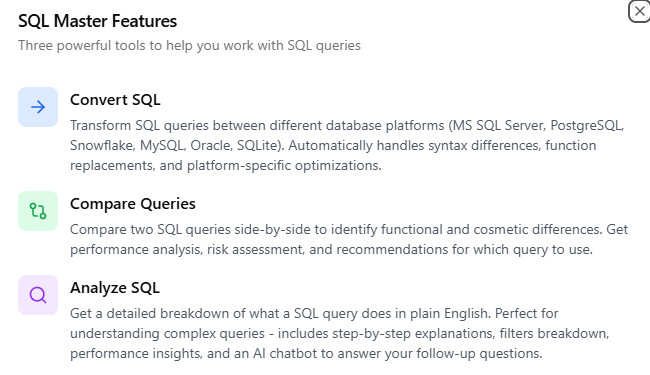
Three Powerful SQL Tools
Everything you need to work efficiently with SQL queries
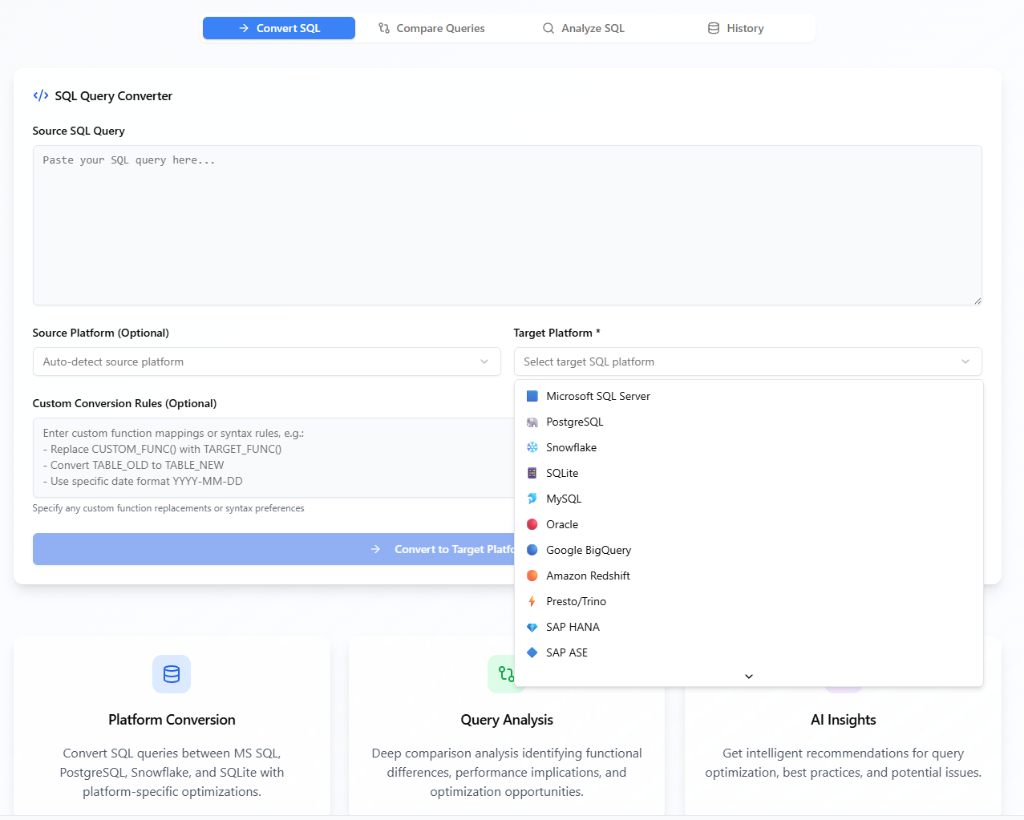
Convert SQL
Transform SQL queries between different database platforms (MS SQL Server, PostgreSQL, Snowflake, MySQL, Oracle, SQLite). Automatically handles syntax differences, function replacements, and platform-specific optimizations.
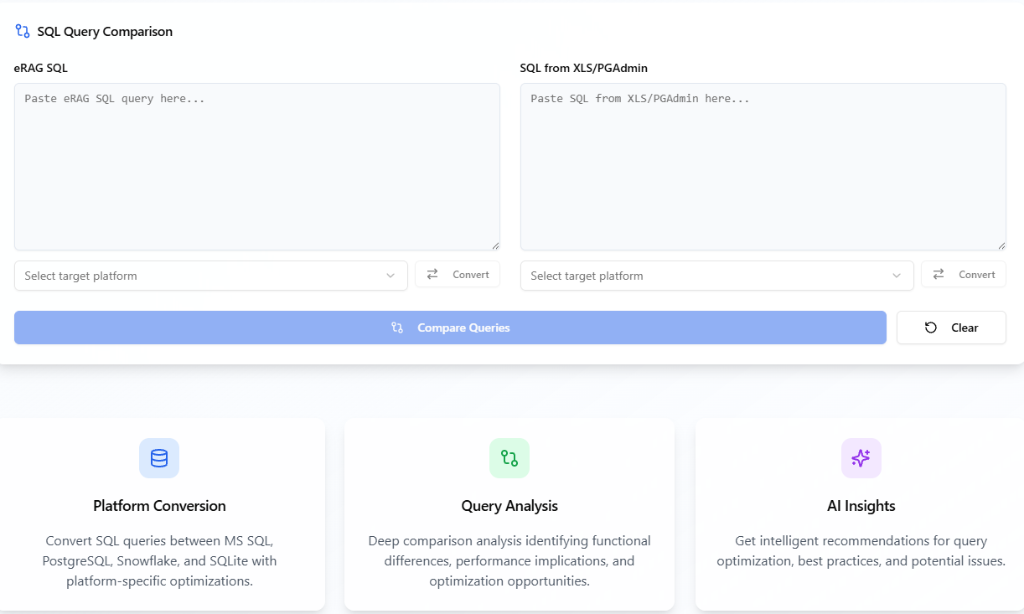
Compare Queries
Compare two SQL queries side-by-side to identify functional and cosmetic differences. Get performance analysis, risk assessment, and recommendations for which query to use.
Analyze SQL
Get a detailed breakdown of what a SQL query does in plain English. Perfect for understanding complex queries - includes step-by-step explanations, filters breakdown, performance insights, and an AI chatbot to answer your follow-up questions.
See SQL Master in Action
Getting Started is Easy
Follow these simple steps to get up and running in no time
Sign Up
Create your account in seconds - no credit card required for trial
Choose Tool
Select from Convert, Compare, or Analyze based on your needs
Paste Query
Simply paste your SQL query into the editor
Get Results
Receive instant results with detailed explanations and insights
Typical User Workflow
See how users accomplish their goals efficiently
Input Query
Paste your SQL query and select source/target databases
AI Processing
Our AI analyzes syntax, functions, and platform-specific elements
Review Results
Get converted query, comparison report, or detailed analysis
Refine & Export
Use AI chat for questions, then copy or export your results